
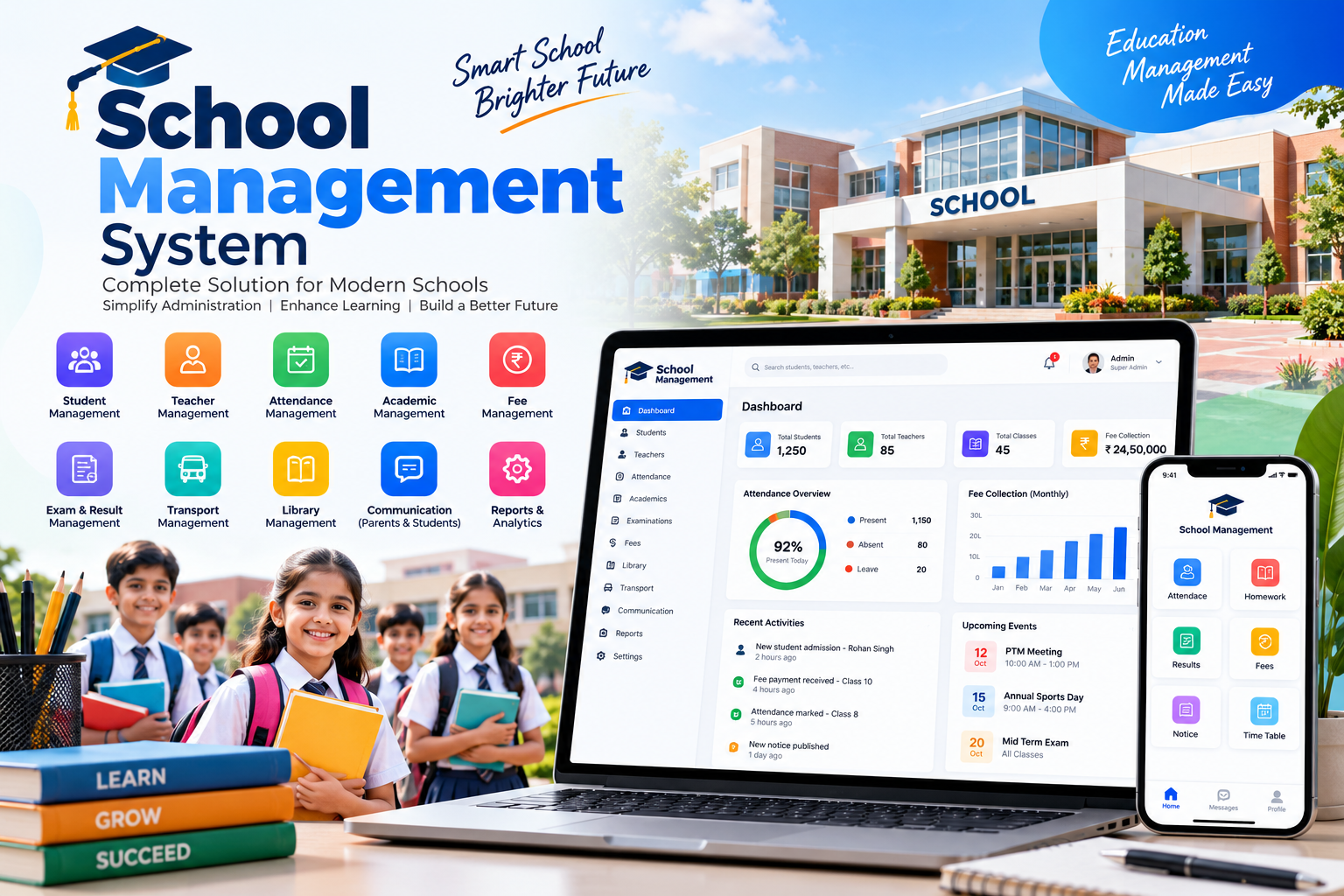
In most schools, the same student’s details live in five places: the admission register, the fee ledger, the class teacher’s attendance book, an Excel sheet of marks, and a WhatsApp group. Every month someone spends days matching them up. A school management system puts all of it in one record. Fee receipts, attendance, marks and messages to parents all come from the same data, so nothing has to be entered twice.
Built Around Your School, Not a Template
Ready-made school ERPs expect you to change how your school works to fit their screens. We do it the other way round. Your fee heads, concession rules, grading pattern, house system and report card layout are set up the way you already use them, whether you follow CBSE, ICSE or your state board. If you run a single campus, a group of branches or a coaching institute, the system is shaped for that.
What the System Covers
Pick the modules you need now and add the rest later. Everything shares one student record.
- Admissions and Student Records. Online enquiry and admission forms, document upload, registration fee collection and a complete student profile, from the first enquiry to the transfer certificate.
- Fee Management. Monthly or quarterly instalments, sibling and staff-ward concessions, late fines that apply themselves, and online payment by UPI, card or net banking. Every payment produces a receipt, and the defaulter list updates on its own.
- Attendance with Parent Alerts. Teachers mark attendance from a phone in under a minute. Parents of absent students get an SMS or app notification the same morning, not at the parent–teacher meeting.
- Exams and Report Cards. Teachers enter marks subject-wise, the system applies your grading rules, and report cards print in your school’s own format. No more copying marks from one sheet to another at the end of term.
- Parent and Teacher App. Parents see attendance, homework, circulars, results and fee dues, and pay from the app. Teachers post homework and notices to one class or the whole school.
- Timetable, Staff and Transport. Class timetables with substitution for absent teachers, staff attendance and leave, bus routes with stop-wise student lists, and library issue records.
How We Set It Up
We plan the rollout around your academic calendar, so the switch happens between sessions, not in the middle of exams.
School Visit and Requirements 3–5 days
We sit with your principal, accounts desk and a few teachers to see how admissions, fees and exams run today. You get a module plan and a fixed-price proposal.
Setup and Design 1–2 weeks
Fee structure, classes and sections, grading rules and report card format are mapped and shown to you as working screens for approval.
Development and Data Migration 4–6 weeks
We build the modules and move your existing student, fee and staff data across from Excel or your old software, checking it for duplicates and missing entries.
Training and Go-Live 1–2 weeks
Hands-on training at your school for the office team and teachers, a short guide for parents, and our team on call through the first weeks of use.
A school system succeeds or fails on one test: does the class teacher actually use it on a busy Monday morning? We design every screen with that teacher in mind.
The Softxcite Team
Your Students’ Data Stays Protected
A school holds sensitive information about children and their families. Access is role-based, so a teacher sees only their own classes and the accounts desk sees only fees. Data is backed up daily, and the system is built with India’s Digital Personal Data Protection Act and its rules on children’s data in mind.
Frequently Asked Questions
Can you move our existing student data from Excel or old software?
Yes. We import student records, fee history and staff details from Excel sheets or your current software, check them for duplicates and gaps, and have your office staff verify a sample before go-live.
Our teachers are not very comfortable with computers. Will they manage?
The daily tasks, like marking attendance or entering marks, take a few taps on a phone. We train teachers in small groups at your school and the interface can be built in Hindi and English.
Does it work for a school with more than one branch?
Yes. Each branch runs its own admissions, fees and attendance, while management sees combined reports across all branches from one login.
How do parents pay fees online?
Parents pay through UPI, cards or net banking from the app or a payment link sent by SMS or WhatsApp. The payment is recorded against the student automatically and a receipt is generated, so the accounts desk does not reconcile anything by hand.
When should we start if we want it ready for the new session?
Ideally 10 to 12 weeks before the session begins. For an April session, that means starting in January, so admissions for the new year can run on the new system.